What "Godot AI" means in 2026
Search for "Godot AI" and you get two very different topics. One is game AI — enemy behaviour, pathfinding, state machines — which Godot handles with nodes like NavigationAgent2D/3D and AnimationTree (see our navigation guide and AnimationTree guide). The other, and the subject of this page, is AI that helps you build the game: large language models that write GDScript, assemble scenes and, increasingly, run and test what they made.
Godot itself does not ship an AI assistant. Everything in this space comes from third parties, and it has split into a few distinct approaches. Knowing which one you are looking at saves a lot of trial and error, because a chat panel, an MCP server and an image generator solve completely different problems.
Three kinds of AI tools for Godot
1. In-editor assistants
These are Godot addons that add a chat panel or code-completion helper inside the editor and forward your questions to a hosted or local language model. They are convenient for "explain this error" or "write a function that does X", and some can insert code into the script editor. Their reach is usually limited to the text you show them: they generally don't build scene trees, run the game or look at the result. Several are free on the Asset Library; quality and maintenance vary, so check the last update date and supported Godot version before installing.
2. MCP servers that let coding agents drive the editor
The second approach flips the direction. Instead of putting a small assistant inside Godot, you keep using a general-purpose coding agent you already know — Claude Code, Cursor, Cline, Codex CLI and others — and give it access to the Godot editor through an MCP (Model Context Protocol) server. The agent can then call tools such as "add node", "set property", "play scene", "simulate key" or "take a game screenshot".
This matters because a file-only agent is working blind. It can write .gd and .tscn files, but it can't see whether the scene loads, whether the button is on screen or whether the jump actually feels right. An MCP server with runtime tools closes that loop: build, run, look, fix.
3. AI asset generators
The third group produces content rather than code: image models for sprites and textures, 3D mesh generators, voice and sound-effect tools, music generators. They are usually separate apps or web services; you export files and import them into Godot like any other asset. They pair well with either of the first two categories, but they don't touch your scenes or scripts. Check each tool's licence terms before shipping generated assets in a commercial game.
Want answers and snippets while you drive? An in-editor assistant is enough. Want an agent that builds and tests features in the editor while you review? You want an MCP server. Need art or audio? That's an asset generator, and it's a separate decision.
How MCP works with Godot
MCP is an open protocol for connecting AI clients to external tools. A Godot MCP setup has three parts: the AI client, an MCP server process, and something inside Godot that executes the commands. With Godot MCP Pro it looks like this:
AI client <--stdio/MCP--> Node.js MCP server <--WebSocket:6505--> Godot editor pluginThe client discovers the list of tools the server offers and decides when to call them. The server translates each call into a command for the editor plugin, which performs it through Godot's own editor API and sends back the result — a scene tree, an error log, a screenshot. Other Godot MCP servers follow a similar pattern, though some drive Godot through a headless command-line process instead of a live editor connection, which limits what they can observe while the game runs.
Two practical details separate a pleasant setup from a frustrating one:
- Undo. If edits go through Godot's UndoRedo system, you can Ctrl+Z an agent's change like your own. Godot MCP Pro routes node and property mutations through UndoRedo.
- Tool limits. Some clients cap how many tools a server may expose. A server with hundreds of tools needs a way to trim that list for those clients (Godot MCP Pro has Full, 3D, Lite and Minimal modes, plus a CLI for terminal-based agents).
Godot MCP servers compared
The Godot MCP space moves quickly. The table below lists what each project states on its own page or README, as checked in November 2026 (the same data as our full comparison page). Tool counts are not comparable one-to-one — projects split functionality differently — so treat them as a rough indicator and look at whether the tools you need are there.
| Project | Price / licence | Tools (as stated) | Godot | Runtime input & screenshots |
|---|---|---|---|---|
| Godot MCP Pro | $15 one-time | 190 | 4.4+ | ✓ |
| GDAI MCP | $19 one-time | not stated | 4.2+ | ✓ |
| Beckett (Full) | $15 one-time (Lite free) | ~91 | 4.2+ | ✓ (Full) |
| Godot MCP Studio (Pro) | €59 one-time (Lite free) | 363 | not stated | ✓ |
| tomyud1/godot-mcp | Free, MIT | 69 | 4.4+ | ✓ |
| yanhuifair/Godot-MCP | Free, AGPL-3.0 | 386 | 4.x | ✓ |
| hi-godot/godot-ai | Free, MIT (needs Python/uv) | 46 | 4.7+ | not stated |
| Coding-Solo/godot-mcp | Free, MIT | ~14 | not stated | ✗ |
| Ziva | Subscription ($20–$200/mo, free tier) | not stated | 4.2+ | ✓ |
A few honest observations:
- Free options are real options. Several open-source servers offer runtime input and screenshots at no cost. If you are comfortable with open-source setup and support through GitHub issues, start there.
- Licences matter. MIT and AGPL-3.0 have different obligations if you modify or redistribute the server; read the licence before building on one.
- Requirements differ. Minimum Godot versions range from 4.2 to 4.7, and some servers need extra runtimes such as Python. Check that your project's Godot version is supported.
- Pricing models differ. Of the paid options in the table, most are one-time purchases; Ziva is a subscription with a free tier.
Standalone AI products
Alongside addons and MCP servers, a few products package AI for Godot development as their own experience rather than plugging into the coding agent you already use. Summer Engine and Ziva are two names that come up often in this space. Their scope, pricing and supported workflows change frequently, so check their official sites for current details rather than relying on third-party summaries (including this one). The trade-off to weigh is the usual one: an integrated product can be smoother to start with, while the MCP approach lets you keep your existing editor, AI client and model choice, and switch any of them later.
Which AI clients work
Any client that speaks MCP can, in principle, use a Godot MCP server. The practical difference is how many tools each client handles well. For Godot MCP Pro, the README recommends these modes:
| Client | Recommended mode |
|---|---|
| Claude Code | Full (190 tools) — deferred tool loading keeps context cost low |
| Cursor | Full |
| Cline, Roo Code | Full |
| VS Code Copilot | Full |
| OpenAI Codex CLI | Full |
| Windsurf, JetBrains Junie | Lite (88 tools) — 100-tool client limit |
| Gemini CLI | Lite |
| OpenCode, local LLMs | Minimal (35 tools) or CLI |
Step-by-step setup for Claude Code and Cursor is in How to Use Claude Code with Godot 4 and Cursor + Godot 4 via MCP. On Windows, the Windows setup and connection fixes guide covers per-client configuration, verifying the connection and troubleshooting by symptom.
How to choose
Answer these questions in order and the field narrows quickly:
- Do you want the AI to act, or just advise? If you only want explanations and snippets, an in-editor assistant or a plain chat model is enough. If you want it to build scenes and verify them, you need an MCP server.
- Which AI client do you already use? Pick a server that fits its tool limits. A huge tool list is not an advantage if your client can't load it.
- Which Godot version is your project on? Match the server's minimum version. Projects on Godot 4.2 or 4.3 have fewer choices than projects on 4.4+.
- Does the agent need to playtest? Runtime input simulation, game screenshots and runtime property inspection are what let an agent find bugs that only appear when the game runs. Not every server has them.
- Free or paid? Free, open-source servers cost nothing but setup time. Paid servers differ in what the price includes — updates, support, documentation — so compare those, not just the tool count.
What a good AI workflow looks like
Whatever tool you choose, the pattern that works is the same: one focused request, let the agent build it, have it run the game and check, then fix. The AI playtesting guide goes deeper on input simulation, screenshots and assertions.
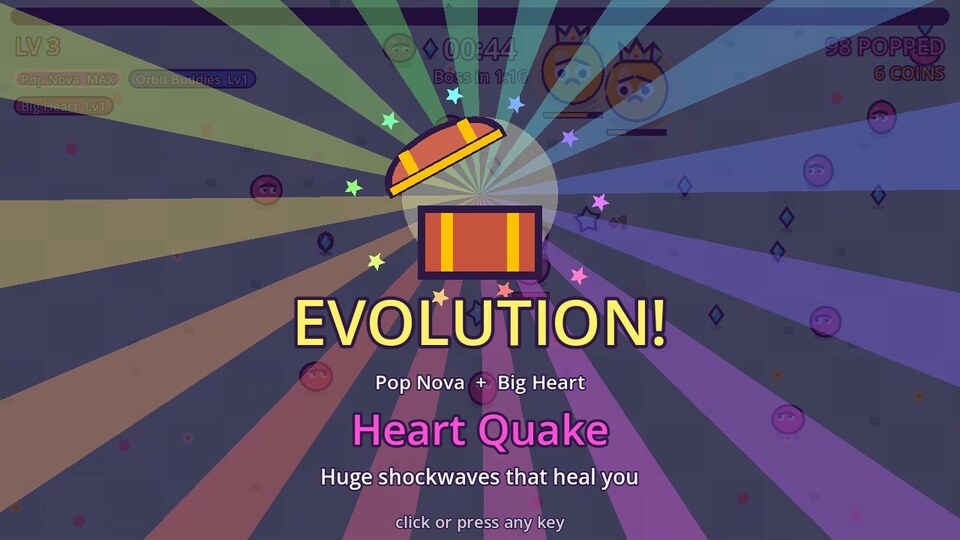
Our showcase shows this loop on real projects, recorded uncut: genre prototypes such as a match-3, a tower defense and a 3D ball roller, each from a single prompt. In the Pop Survivors build, the agent's own playtest revealed that its input bindings didn't respond to simulated keys and that the first run ended in a game over after 14 seconds — problems it then fixed without being told. That is the practical case for runtime tools.
Keep expectations grounded: AI agents are fast at prototypes and at the tedious parts of editor work, but you still own the design decisions — what the game is, what order features come in and what "fun" means.
FAQ
Is there an official AI assistant built into Godot?
No. Godot does not ship an AI assistant. AI support comes from third-party addons, MCP servers that connect external agents to the editor, and standalone products.
What is a Godot MCP server?
An MCP server exposes Godot editor actions as tools an AI client can call, so the agent can create nodes, edit scripts, run the game and read errors instead of only editing files on disk.
Are there free Godot MCP servers?
Yes — tomyud1/godot-mcp (MIT), yanhuifair/Godot-MCP (AGPL-3.0), hi-godot/godot-ai (MIT) and Coding-Solo/godot-mcp (MIT) are all free. See the comparison table above for their stated tool counts and Godot versions.
Which AI clients work with Godot MCP Pro?
Any MCP-compatible client. The README lists recommended modes for Claude Code, Cursor, Cline, Roo Code, VS Code Copilot, OpenAI Codex CLI, Windsurf, JetBrains Junie, Gemini CLI, OpenCode and local LLMs.
Can I see a Godot MCP server work before choosing?
Yes. The showcase has uncut recordings and playable builds, and the Godot MCP Pro editor plugin is open source on GitHub if you want to read how it talks to the editor.
Try the build, run, playtest loop
Godot MCP Pro connects Claude Code, Cursor and other MCP clients to the Godot 4 editor with 190 tools across 26 categories. $15 one-time, lifetime updates.
batch_add_nodes
play_scene
simulate_key
get_game_screenshot
get_editor_errors
Still comparing? Read the full comparison or browse the games built with it.